Media Sharing GUI
A library on a Mac somewhere else, right here on your network.
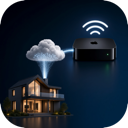
Home Sharing lets the Apple TV app, Music and iTunes stream from another computer — but only one on the same local network. Media Sharing GUI removes that limit. Point it at a Mac at home (or anywhere you can reach by SSH) and the library it shares appears in your Apple TV or Music source list here, as if that Mac were in the next room.
What it does
- Opens a secure SSH tunnel from this Mac to the remote one.
- Asks the remote Mac which Home Sharing library it's broadcasting, and re-publishes it here over Bonjour, so the Apple TV and Music apps see it on your own network.
- Keeps the connection alive through sleep and dropouts, reconnecting on its own.
- Runs several remote libraries at once, each in the sidebar. Nothing leaves your Macs — no cloud service, no account.
Download for Mac
Requires macOS 12 or later. Unzip it and move Media Sharing (Apple TV) GUI to your Applications folder. It keeps itself up to date.
Help
The full help book — the same one built into the app — is here on the web: